Trade Links
Best for: blogs, newsletters, research providers, creator communities, Discord servers, and any product that wants to add trading without server-side integration work.
Trade Links are the fastest way to turn your investing content into an actionable trading experience.
If your strength is:
- publishing trade ideas
- sharing due diligence
- running a paid investing community
- writing newsletters
- building watchlists and research tools
...you probably don't want to spend months building brokerage integrations and trading UIs. Trade Links let you skip all of that and still offer a real trading experience to your followers.
Just share a link with the ticker and trade details (buy/sell, amount, order type, etc.), and your users open a prefilled trading page on Trade It. They can sign up, connect a brokerage, and place the trade in seconds.
This is the "start today" path.
Example 1: Simple Buy Order
https://tradeit.app/t/AAPL?tt=0&t=buy&a=100&u=dollars&ot=market&tif=day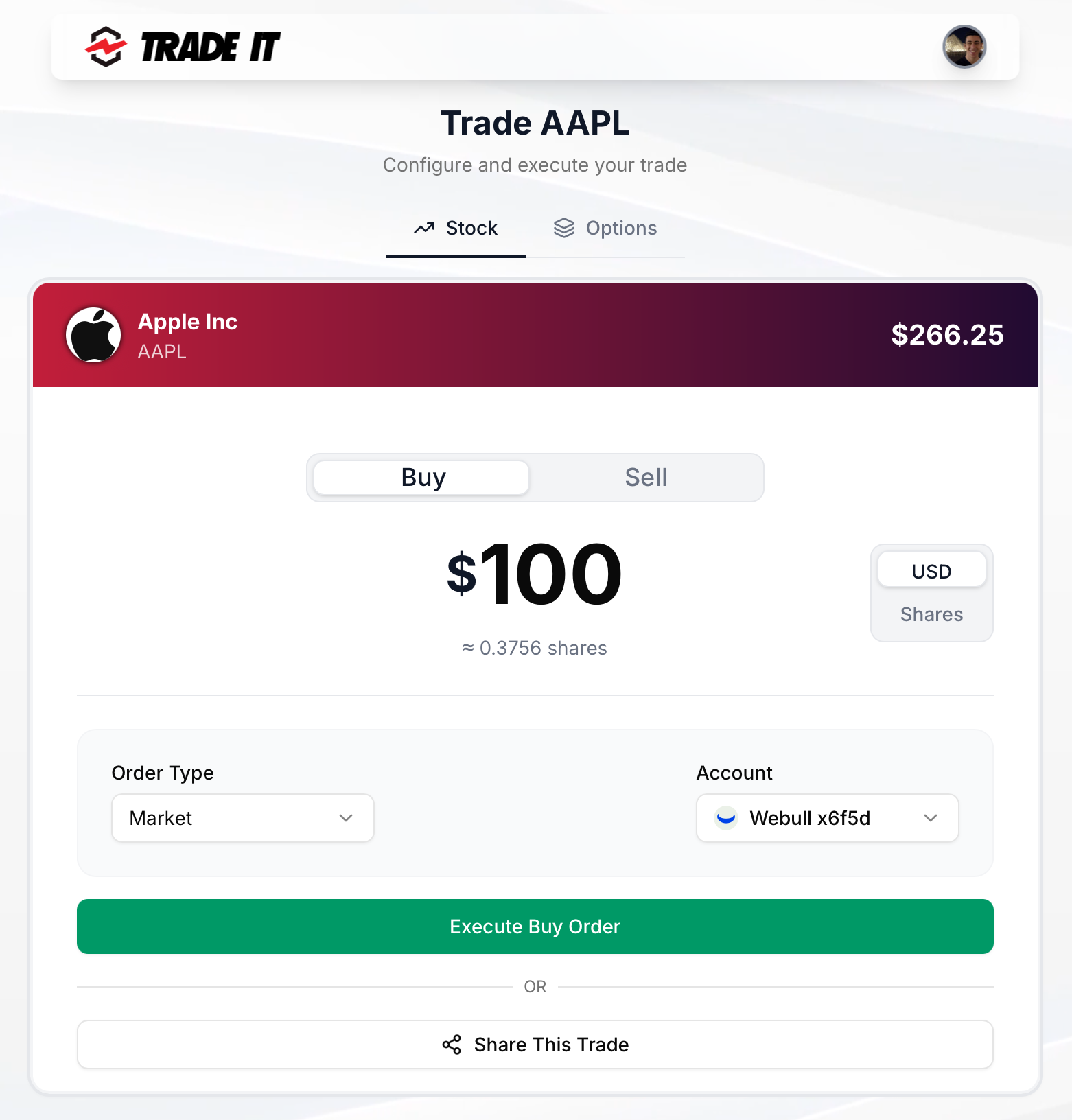
Example 2: Bracket Order
Attach entry & exit criteria to a simple Buy entry so the resulting long position opens at a given price and closes automatically. Sell and options do not support bracket orders. Support varies by brokerage (see Supported Brokerages).
https://tradeit.app/t/AAPL?tt=0&t=buy&a=100&u=dollars&ot=market&tp=10%25&sl=5%25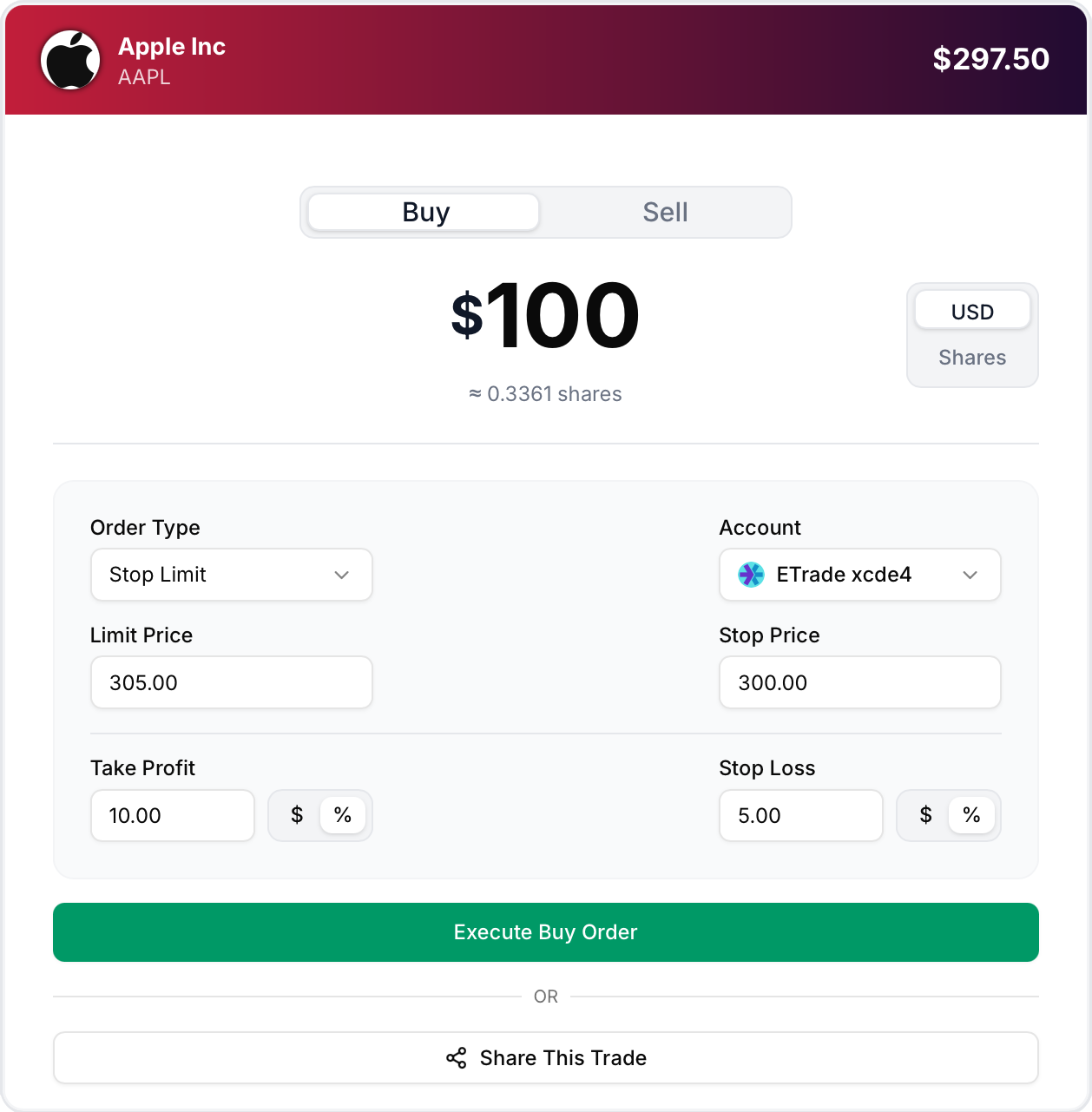
Example 3: Multi-leg Option Order
https://tradeit.app/t/MSFT?tt=1&ot=market&tif=gtc&legs=%5B%7B%22type%22%3A%22option%22%2C%22action%22%3A%22sell%22%2C%22position_effect%22%3A%22open%22%2C%22occ%22%3A%22270617C00390000%22%2C%22quantity%22%3A5%7D%2C%7B%22type%22%3A%22option%22%2C%22action%22%3A%22buy%22%2C%22position_effect%22%3A%22open%22%2C%22occ%22%3A%22270617C00420000%22%2C%22quantity%22%3A5%7D%5D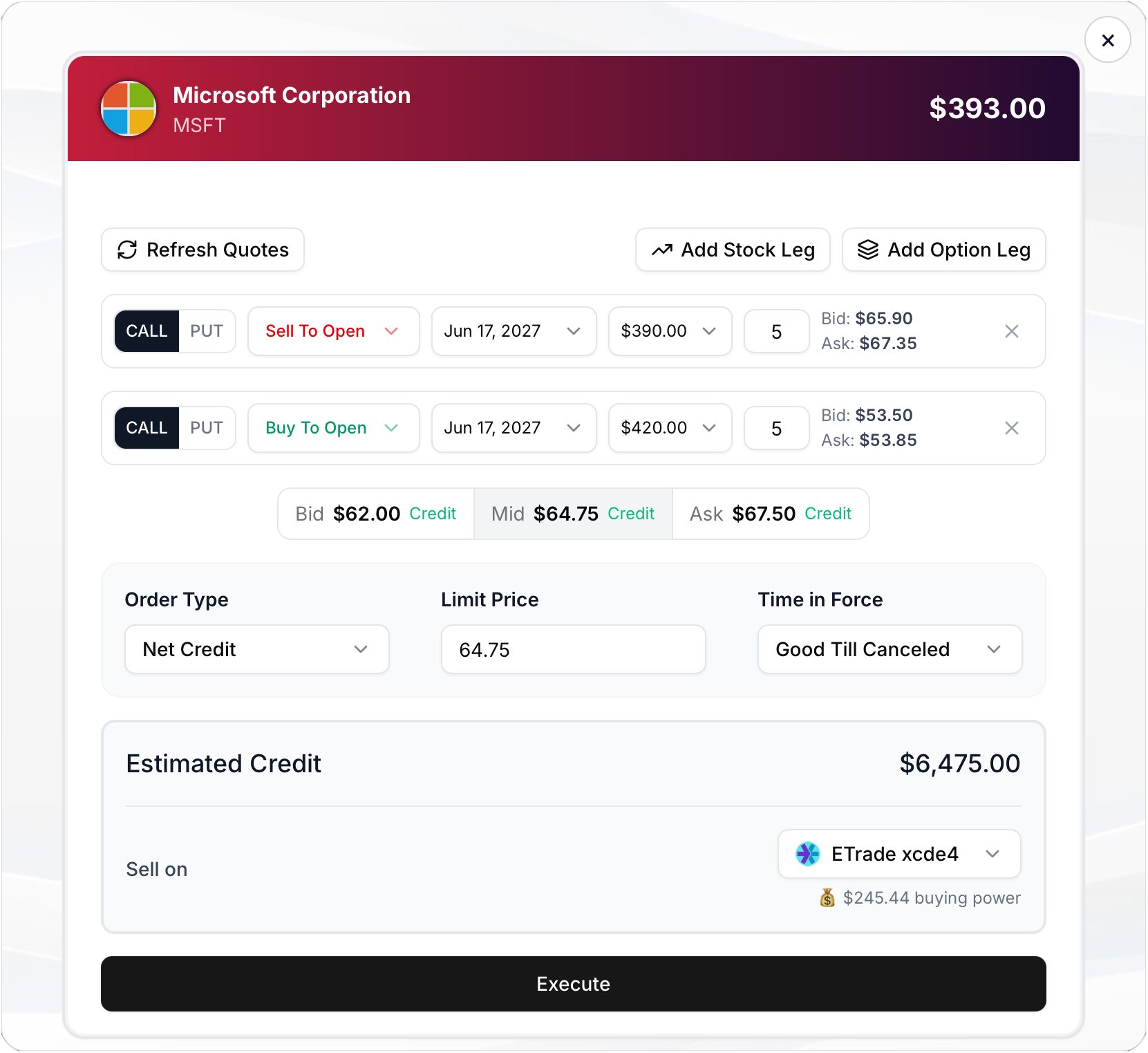
Trade Link URL Format
https://tradeit.app/t/<TICKER>?<params>Example:
- Path ticker:
AAPL(or crypto likeBTC-USD) - Query params: trade parameters (simple or multi-leg)
Parameters
These are the parameters that define a trade. Some have defaults if omitted.
| Field | Meaning | Example | Used In | Default | Notes |
|---|---|---|---|---|---|
tt | Trade type | 0 | simple options | 0 | 0 = simple, 1 = options |
t | Buy or sell | buy | simple | buy | Simple trades use buy / sell |
a | Amount | 100 | simple | 100 | Number of dollars or shares |
u | Unit | dollars | simple | dollars | dollars or shares |
ot | Order type | market | simple options | market | market, limit, stop, stop_limit |
dir | Net direction | credit | options | None | Optional for multi-leg debit or credit spreads |
lp | Limit price | 150 | simple options | None | Used for limit / stop_limit |
sp | Stop price | 140 | simple options | None | Used for stop / stop_limit |
tif | Time in force | day | simple options | day | day, gtc, ioc, fok |
tp | Take profit | 250 or 10% | simple Buy | None | Attached take-profit exit. Bare number is a price; trailing % is a move from the entry reference price. Support varies by brokerage. |
sl | Stop loss | 180 or 5% | simple Buy | None | Attached stop-loss exit. Bare number is a price; trailing % is a move from the entry reference price. Support varies by brokerage. |
legs | Options leg payload | | options | None | URL-encoded JSON array of leg objects (URL-encode before placing in the query string) |
legs[].type | Leg type | option | options | None | option or equity |
legs[].action | Leg action | buy | options | None | buy or sell |
legs[].position_effect | Position effect | open | options | null | open, close; null for equity legs |
legs[].occ | OCC contract string | 260320C00200000 | options | None | Required for option legs; null for equity legs |
legs[].quantity | Leg quantity | 1 | options | 1 | Contracts for options, shares for equity legs |
Integrate into your platform
To sign users in with Trade It, read their accounts and holdings, and embed connection and trading modals, follow the Platform Integration guide. Start with our AI Skill or use the step-by-step manual setup.