Onboarding mode
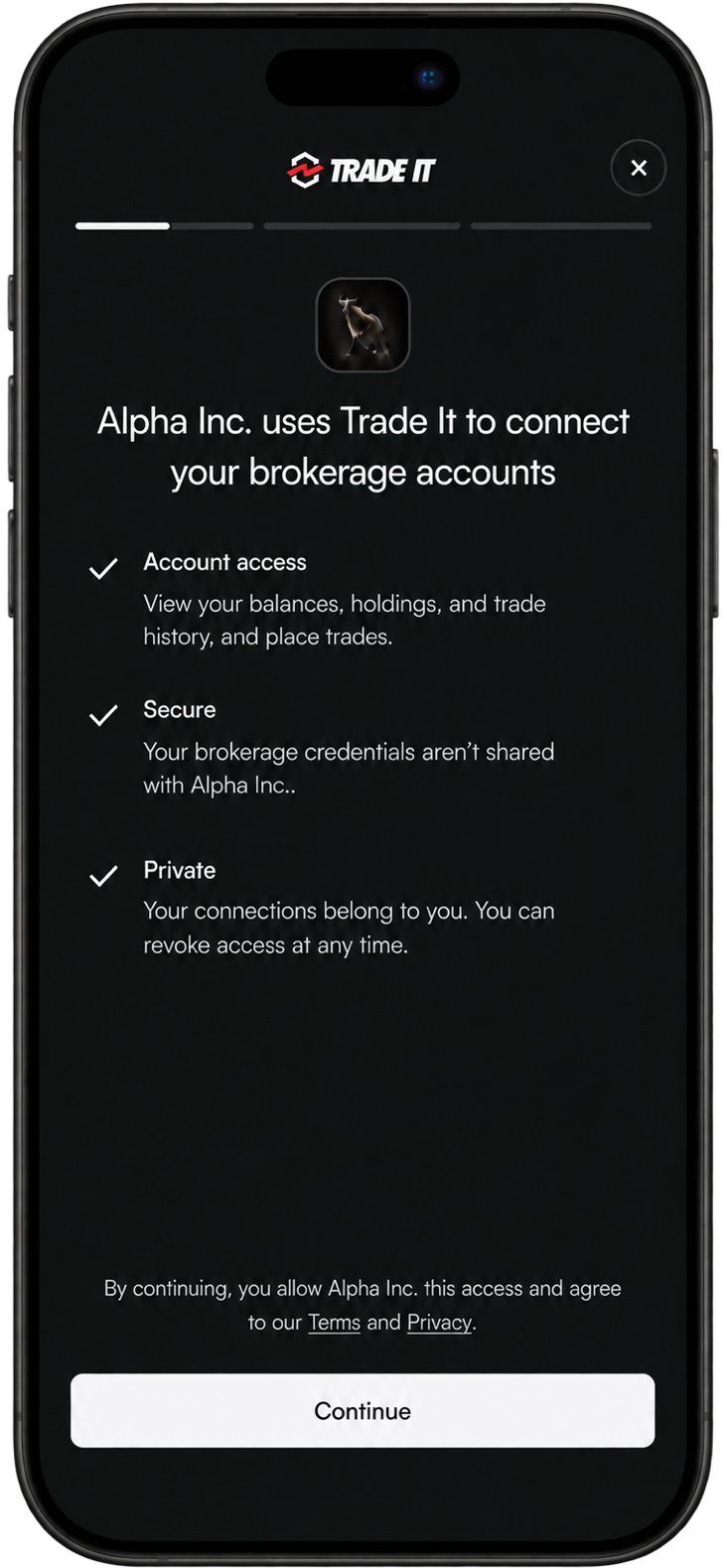
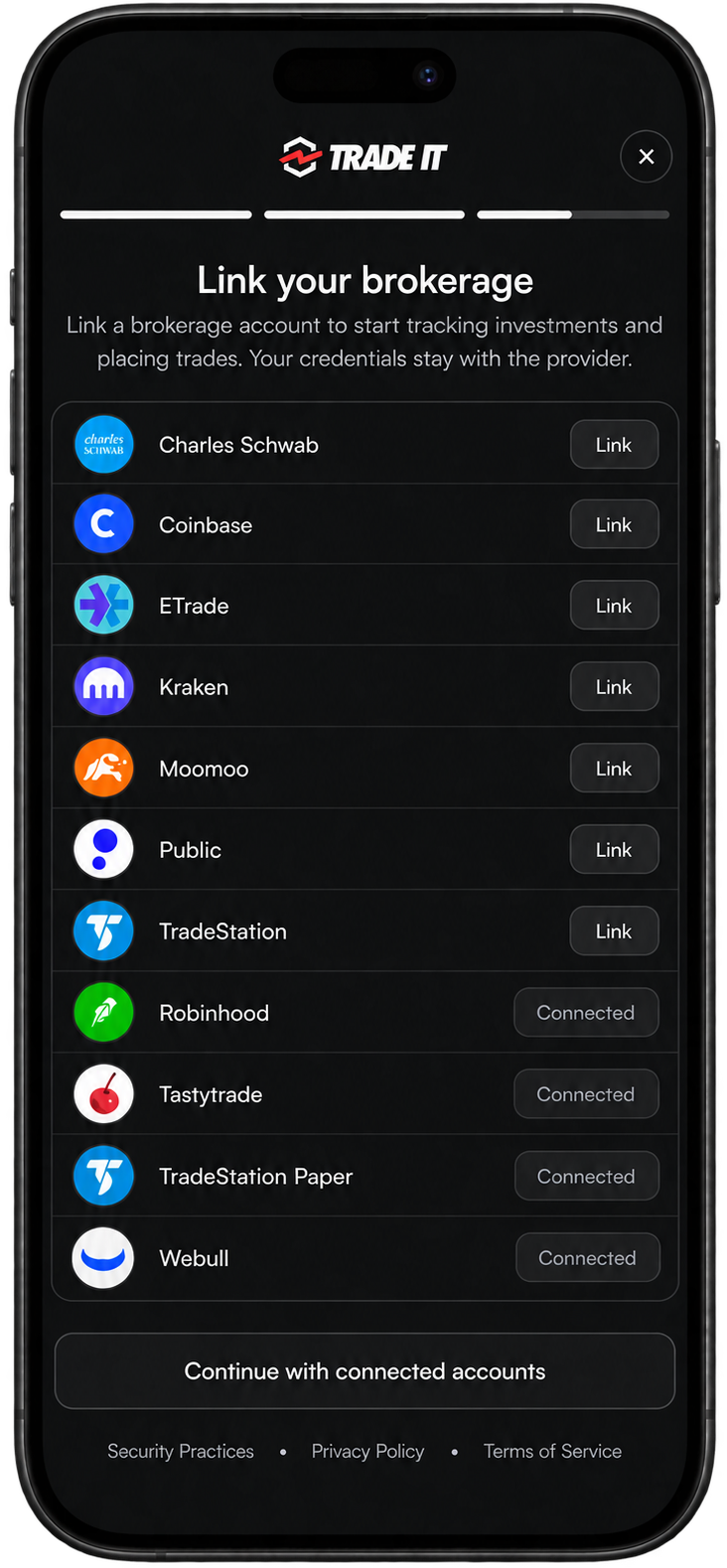
Start each user with the Trade It Portal in Onboarding mode. It explains your app’s access, handles sign-in, and connects their first brokerage without leaving your app.
After saving their tokens, use the same portal in Connection mode to add or reconnect brokerages.

Configure your client
Your backend · One-time setup
Create your organization and save its credentials. Register a redirect URI on the website where you will open the portal, then set these server environment variables:
Show code example
TRADE_IT_CLIENT_ID=your_client_id
TRADE_IT_CLIENT_SECRET=your_client_secret
TRADE_IT_REDIRECT_URI=https://app.example.com/auth/tradeit/callback
Match your website’s origin
The redirect_uri must use the same scheme, hostname, and port as the website opening the portal. Register a separate URI for each test or production origin. Use HTTPS in production; HTTP localhost is supported for development. The portal sends its authorization event to this origin without navigating to the URI.
Create Portal URL
Your backend · POST https://api.tradeit.app/api/portal
Use your Client ID and Client Secret from step 1 with Basic authentication. Put authorization settings in oauth_options and optional brokerage settings in connect_options.
Show code example
import { randomBytes, createHash } from 'node:crypto';

// Bind this attempt to your user and protect the code exchange with PKCE.
const state = randomBytes(32).toString('base64url');
const verifier = randomBytes(32).toString('base64url');
const credential = Buffer.from(`${encodeURIComponent(clientId)}:${encodeURIComponent(clientSecret)}`).toString('base64');

// Create the portal URL for this user.
const portal = await fetch('https://api.tradeit.app/api/portal', {
  method: 'POST',
  headers: { Authorization: `Basic ${credential}`, 'Content-Type': 'application/json' },
  body: JSON.stringify({
    oauth_options: {
      redirect_uri: redirectUri,
      state,
      code_challenge: createHash('sha256').update(verifier).digest('base64url'),
      email_hint: user.email, // Optional. Omit to show all sign-in options.
      name: user.name,       // Optional. Personalizes the experience.
    },

    connect_options: {}, // Optional. Customizes brokerage selection.
  }),
}).then(res => res.json());
Pass portal.url to your frontend. Retain the state, verifier, issuer, token endpoint, and expiry on your server for this user’s authorization attempt. Keep the Client Secret on your server.
Request details
| Field | Use |
|---|---|
oauth_options | Required with Basic authentication. The client ID comes from your credentials. |
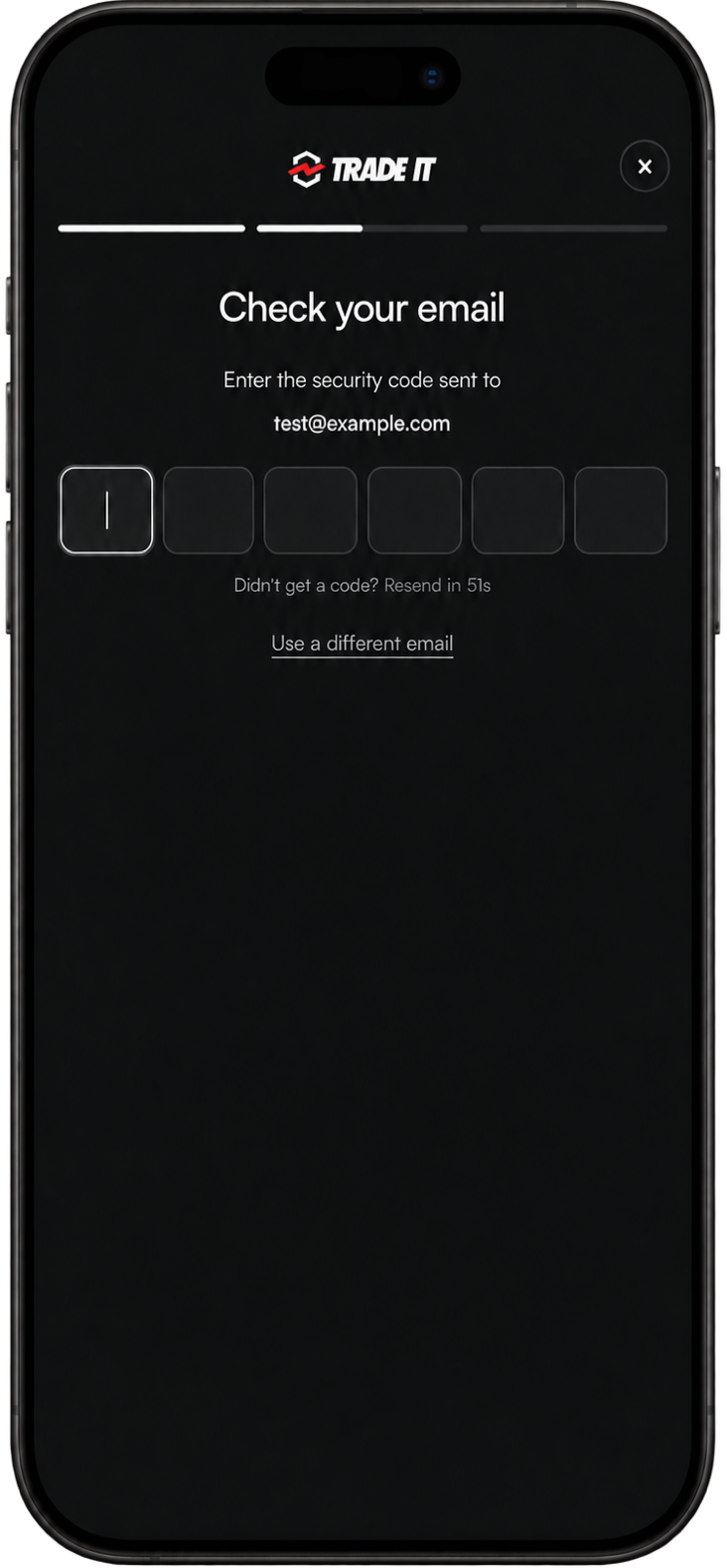
oauth_options.email_hint | Optional. Starts email OTP when supplied. Omit to show social and email sign-in options. Users can switch methods or correct the address. |
oauth_options.name | Optional. The user’s name. |
connect_options.brokerage_code | Optional. A brokerage code to open directly. Cannot be combined with brokerage_filter. |
connect_options.brokerage_filter | Optional. supports (all required capabilities), include (brokerage codes), and exclude (brokerage codes). Exclusions take precedence. |
oauth_options.redirect_uri | Your exact registered URI, on the same origin as the website opening the portal. The portal stays open instead of redirecting. |
oauth_options.state, oauth_options.code_challenge | Generated above. State binds the attempt; PKCE protects the code exchange. |
Portal URL lifetime
The URL expires after 30 minutes. Keep the returned issuer and tokenEndpoint on your server for step 4.
Sign-in options
Choose the first sign-in screen
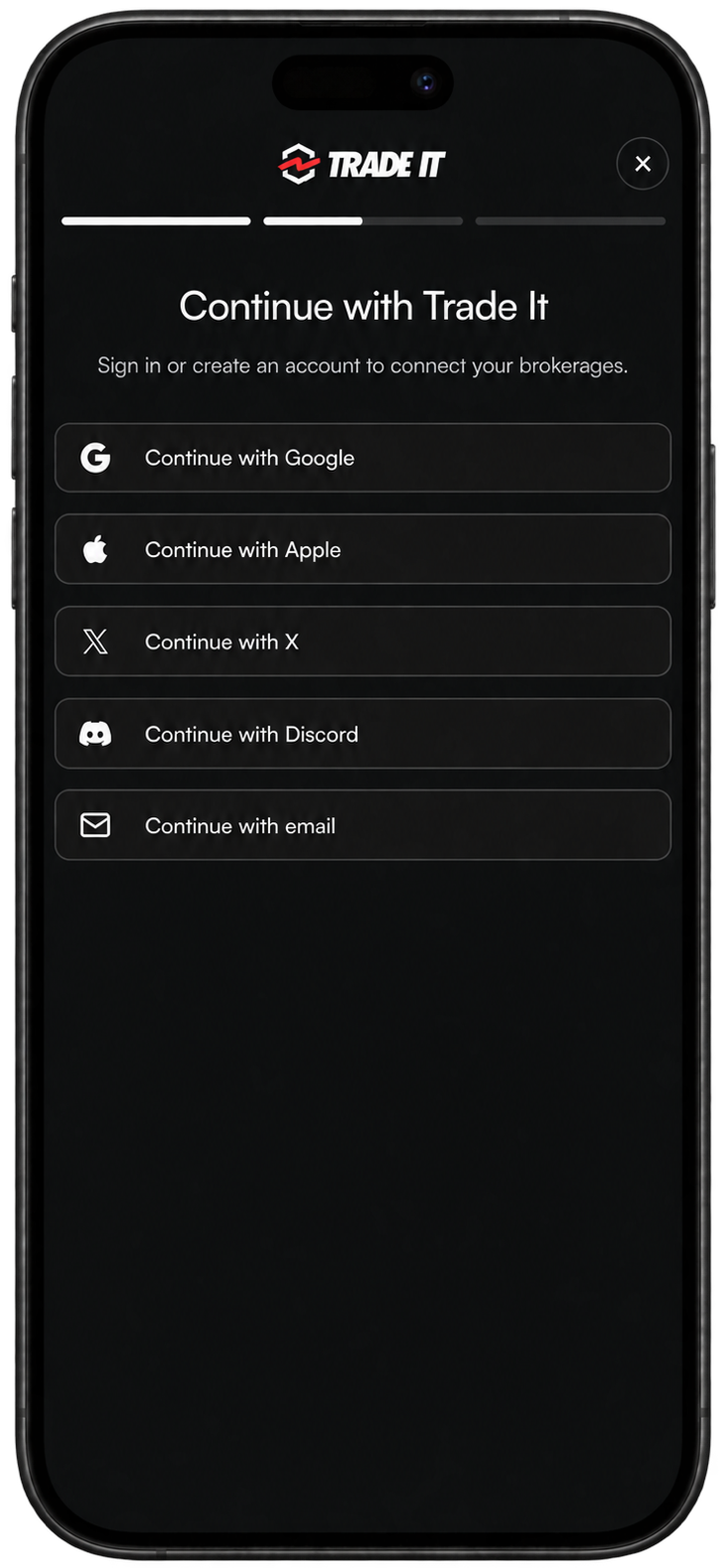
Supply oauth_options.email_hint to start with a one-time email code. Omit it to show all social and email sign-in options. Users can switch methods or correct their address in the portal.
{
  "oauth_options": {
    "redirect_uri": "https://app.example.com/auth/tradeit/callback",
    "state": "your_random_state",
    "code_challenge": "your_pkce_challenge",
    "email_hint": "john@test.com",
    "name": "John Smith"
  }
}
Connection options
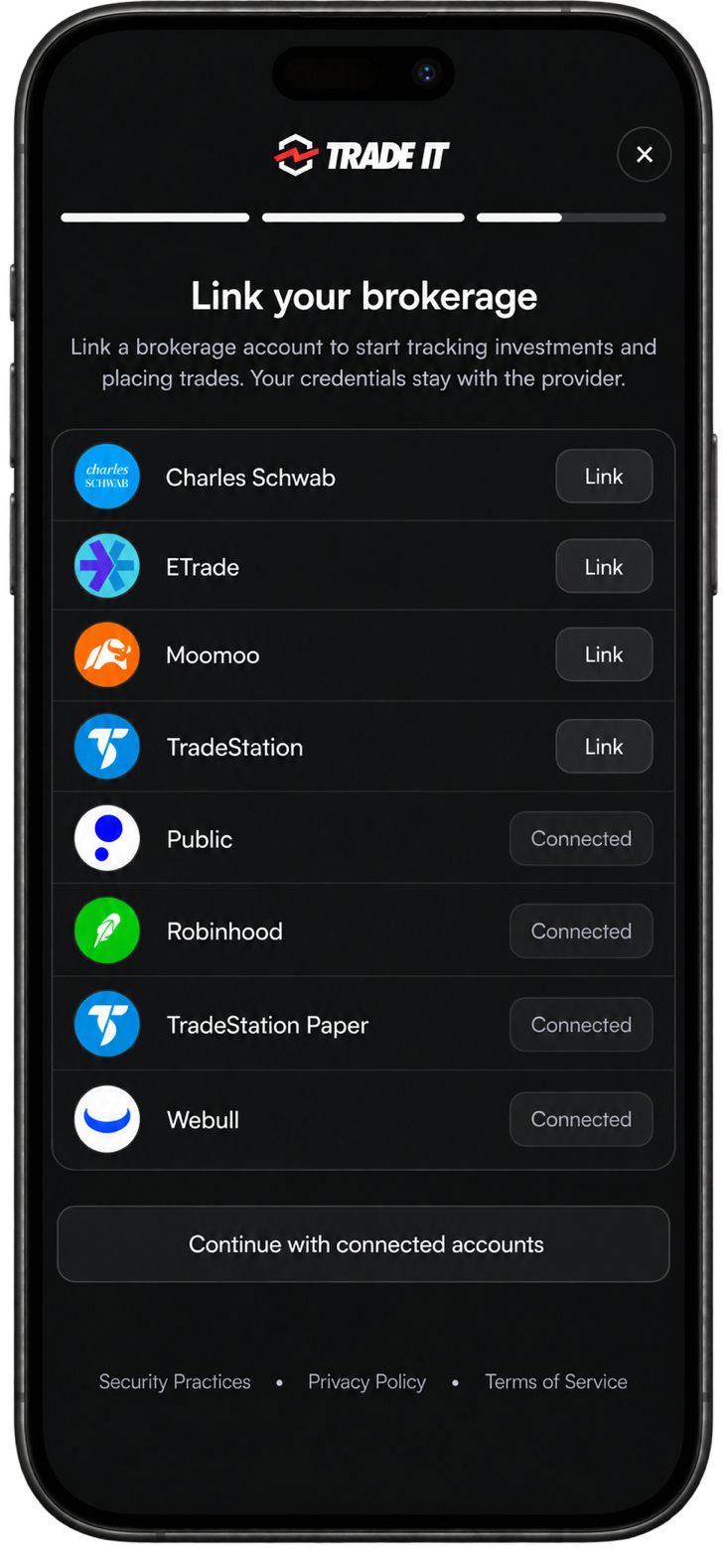
Choose which brokerages users can choose from. These settings have the same behavior as the Connection mode options.
Full list
Omit connect_options, or pass an empty object, to show every active brokerage:
{
  "connect_options": {}
}
Filtered list
Use brokerage_filter to filter by capabilities (supports) or brokerage codes (include and exclude). For example, show options-supporting brokerages except Tastytrade:
{
  "connect_options": {
    "brokerage_filter": {
      "supports": ["options"],
      "exclude": ["tastytrade"]
    }
  }
}
Brokerage filter behavior
The picker omits inactive brokerages. If nothing matches, it shows every active brokerage. Filters customize the picker; they do not change the access your app requests.
One targeted brokerage
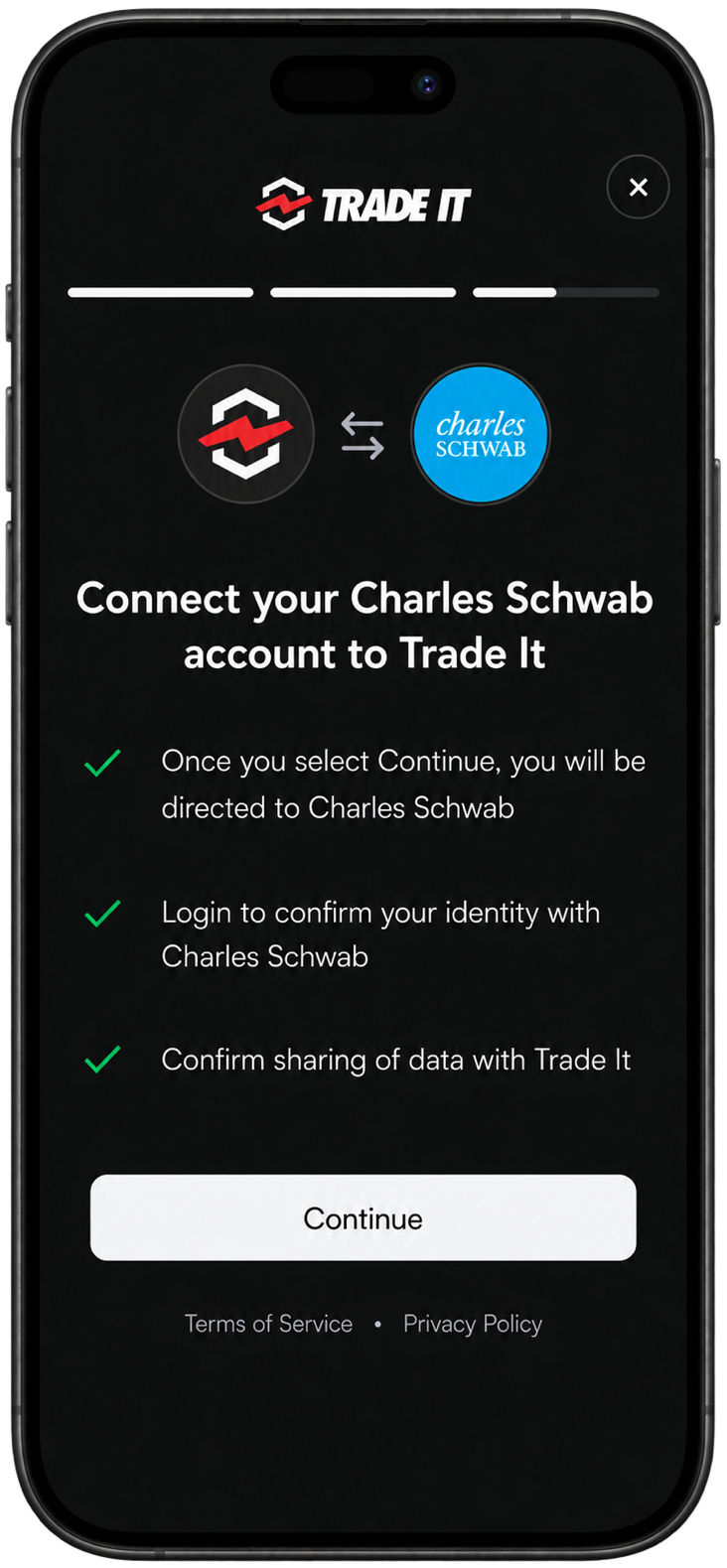
Use brokerage_code to skip the picker and open one brokerage’s connection flow directly. Choose a code from the brokerage list:
{
  "connect_options": {
    "brokerage_code": "charles_schwab"
  }
}
Use either brokerage_code or brokerage_filter in a request, not both.
Open the portal
Your frontend · npm install @trade-it/react
Open the portal on your front end. After the user consents to share data and signs in, their OAuth authorization code is emitted by the modal as an event.
Use onAuthorization to forward this code to your backend and exchange it for the user's access & refresh tokens.
Show code example
import { TradeItModal, useTradeIt } from '@trade-it/react';

function ConnectBrokerageButton() {
  const tradeIt = useTradeIt({
    // Save access on your server while the modal opens brokerage selection.
    onAuthorization: async authorization => {
      const saved = await fetch('/api/tradeit/complete', {
        method: 'POST',
        headers: { 'Content-Type': 'application/json' },
        body: JSON.stringify(authorization),
      });
      if (!saved.ok) throw new Error('Could not save access');
    },
  });

  async function connect() {
    const response = await fetch('/api/tradeit/portal', { method: 'POST' });
    if (!response.ok) throw new Error('Could not start onboarding');
    const { url } = await response.json();

    tradeIt.openConnect({ launch: { mode: 'connect', url } });
  }

  return (
    <>
      <button onClick={connect}>Connect my brokerage</button>
      {tradeIt.modalProps && <TradeItModal {...tradeIt.modalProps} />}
    </>
  );
}
Authorization events instead of redirects
In Onboarding mode, the portal sends the authorization code through onAuthorization instead of opening redirect_uri, so the modal can continue straight to brokerage connection. See OAuth 2.0 Best Current Practices for more info on this approach. Your registered redirect_uri still determines the receiving website’s origin and is used when exchanging the code for tokens.
Save tokens
Your backend · POST /api/tradeit/complete
Use the token endpoint returned in step 2, the same PKCE verifier, and the registered redirectUri. authorization is the event received by onAuthorization.
Show code example
const tokens = await fetch(tokenEndpoint, {
  method: 'POST',
  headers: {
    Authorization: `Basic ${credential}`,
    'Content-Type': 'application/x-www-form-urlencoded',
  },
  body: new URLSearchParams({
    grant_type: 'authorization_code',
    code: authorization.code,
    code_verifier: verifier,
    redirect_uri: redirectUri,
  }),
}).then(res => res.json());
Bind tokens to the correct user
Before exchanging, validate the event’s state and issuer against the attempt saved for your signed-in user, and consume that attempt once. Protect your endpoints with authentication and CSRF checks. Save tokens securely for that user, then resolve onAuthorization; keep codes and tokens out of logs.
Token Expired?
Refresh access with the saved tokenEndpoint using the refresh-token flow.
Adding another brokerage?
Use the portal in Connection mode with the user’s saved OAuth access token. Call the same POST /api/portal endpoint with Bearer authentication and omit oauth_options. There’s no need to repeat onboarding while your app’s authorization is valid.